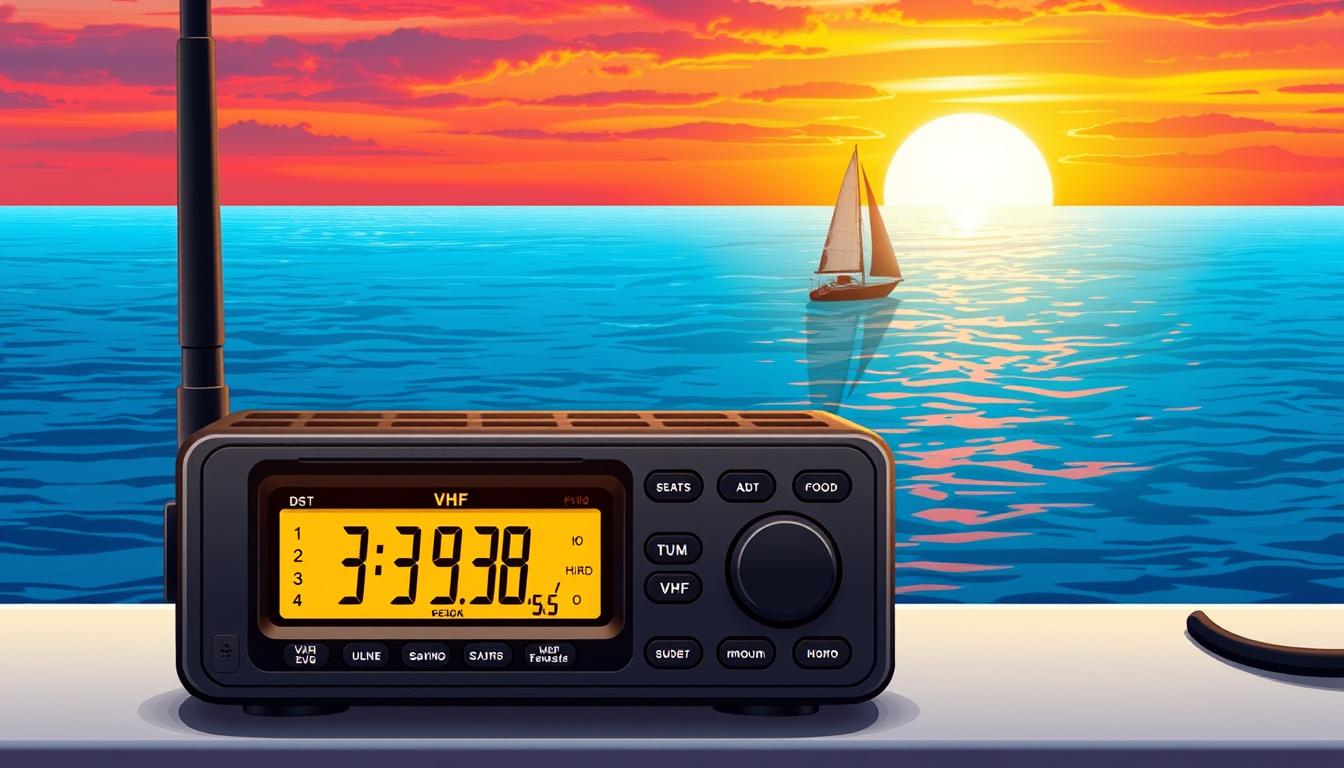
When you’re on the water, having reliable information is key to your safety. A marine VHF radio is more than just a way to talk. It’s a vital tool that beats cell phones, when you really need it.
This tech offers clear signals, unlike cell phones. It can even help find you in thick fog. It’s not just for calling for help. Modern radios also give you vital weather info through WX channels and SAME alerts.
The WX channels share NOAA forecasts, keeping you updated on weather changes. The SAME alert system sends warnings only when you’re in danger. Learning how to use these features can save your life.
Boaters looking for top gear should check out high-end marine handheld VHF radios. These have great weather-channel features and are built to last. Knowing how to use your radio’s features can be a lifesaver.
Programming WX & SAME
To get the most out of your marine VHF, you need to program it for local weather broadcasts. This way, you’ll get accurate forecasts and urgent warnings for your exact location on the water.
First, find your local NOAA WX channels. The National Weather Service offers seven main channels for weather updates across the country. These channels are labeled WX1 through WX7, but not all are active everywhere.
Here’s how to find and tune yours:
- Turn on your VHF radio.
- Adjust the squelch control knob until the static goes away. This improves your reception.
- Scan through the WX channel frequencies (like 162.400 MHz for WX1) or use the “WX Scan” function if your radio has it.
- Stop on the channel with the strongest signal. Listen for a moment to make sure it’s your local forecast.

Once you’ve found a clear WX channel, it’s time to set up the SAME alert system. This feature silences your radio until a warning is issued for your county. This way, you won’t hear alerts for distant areas.
You’ll need your county’s 6-digit FIPS code for programming. You can find this on the NOAA Weather Radio website or in your radio’s manual. With the code ready, enter your radio’s menu mode.
In the menu, go to the SAME or Alert Programming section. Enter the six-digit code. You can program multiple codes if you travel between different coastal counties.
Next, choose the alerts you want to hear. For boaters, important warnings include:
- Severe Thunderstorm Warning
- Hurricane Watch/Warning
- Tornado Warning
- Storm Warning
- Special Marine Warning
After setting up, always test your system. Most radios have a “Test Alert” or “Alert Tone” function. Activating it should produce a loud alarm, confirming your system is ready.
| Channel Name | Frequency (MHz) | Typical Coverage & Use |
|---|---|---|
| WX1 | 162.550 | Primary channel for most coastal and Great Lakes regions. |
| WX2 | 162.400 | Widely used across the United States as a primary or secondary channel. |
| WX3 | 162.475 | Common in many areas, often used where WX1 or WX2 signals are weak. |
| WX7 | 162.525 | Frequently used in specific metropolitan and coastal areas. |
With your WX channels set and SAME programmed, your radio is a powerful tool. Remember, to speak, press and hold the PTT button, wait two seconds, then speak clearly. Release the button to listen.
This setup is key for emergency preparedness on the water. It filters out unnecessary noise and delivers the warnings you need, right when you need them.
Interpreting Marine Zone Forecasts
Once your VHF radio is tuned to the correct WX channels, understanding the forecast is key. NOAA’s data is useless if you can’t decode it. This section will help you turn jargon into useful knowledge for your time on the water.
A typical forecast starts with the marine zone, like “Coastal Waters from Sandy Hook to Manasquan Inlet.” It then mentions the forecast period, usually 24 to 48 hours. The main info is wind, waves, and weather, in that order.
Decoding the Core Forecast Elements
Wind forecasts tell you the direction and speed. For example, “Winds northwest 15 to 20 knots.” Remember, a knot is faster than a mile per hour. The direction tells you where the wind is coming from.
Wave heights are the average of the highest third of waves. A forecast of “seas 3 to 5 feet” means expect waves in that range, but they can be bigger. This is different from swell, which comes from distant storms.
Weather includes chances of rain and how clear it will be. “Chance of showers” means a 30-50% chance. “Patchy fog” means visibility will be low and can change quickly.

The alert section is the most important part. A Small Craft Advisory means winds or waves are dangerous for small boats. It’s a sign to be extra careful or to delay travel.
Knowing the difference between a watch and a warning is critical. A watch means conditions are right for a hazard. A warning means the hazard is happening or about to happen. Getting these mixed up can lead to bad decisions.
| Term | Meaning | Required Action |
|---|---|---|
| Watch | Hazardous conditions are possible in the defined area. Be prepared. | Monitor forecasts closely. Review safety plans and gear. |
| Warning | Hazardous conditions are occurring, imminent, or highly likely. Threat to life/property. | Take protective action immediately. Seek safe harbor or alter course. |
| Advisory | Less severe but potentially hazardous conditions expected. May cause inconvenience. | Exercise heightened caution. Evaluate risks for your vessel size and experience. |
Forecasts cover many marine zones. Listen for your specific zone. The broadcast starts with offshore zones and moves closer to shore. Be patient and wait for your area’s update.
From Forecast to Broadcast: The Securite Call
The forecast info turns into an urgent alert with the Securite call. Pronounced “say-cure-ee-tay,” it’s a safety call from the U.S. Coast Guard or other authorities.
A Securite alerts you to immediate weather hazards or navigation dangers in a specific area. It’s broadcast on VHF Channel 16 and then on a working channel. When you hear “Securite, Securite, Securite” followed by a location and warning, it’s the forecast data in action. It’s a direct call to all boaters in danger.
Learning to interpret forecasts turns NOAA’s audio feed into a planning tool. You go from hearing data to managing risk based on wind, waves, and official warnings.
Urgent Marine Information Broadcasts
When the weather gets bad fast or a danger shows up, the Coast Guard and sailors send out urgent messages. These messages are not just forecasts. They are live, urgent calls that need your quick attention.
Knowing the three urgent call types is key for safety at sea. Each type has its own purpose and level of danger.
| Broadcast Type | Meaning & Purpose | Who Typically Issues It |
|---|---|---|
| Securite (Say-Cure-ee-tay) | Safety info about navigation or weather. This includes dangers like floating junk, broken boats, or sudden weather changes. | Coast Guard or other official authority. |
| Pan-Pan (Pahn-Pahn) | Signals an urgent but not life-threatening issue. This could be a mechanical problem, taking on water, or someone overboard. | A boat in need of help. |
| Mayday | Means grave and imminent danger needing quick help (like a fire, sinking, or medical crisis). | A boat or person in serious trouble. |
If you’re in a hurry but not in danger, call a Pan-Pan. Always say where you are and what’s wrong clearly. A Securite is the Coast Guard’s official warning for dangers in a certain area.
Urgent calls cover big areas, making SAME alerts on your radio very useful. SAME alerts filter by area, so you only hear messages for your county or marine zone. This stops you from getting tired of alerts that don’t affect you.
Always keep your VHF on and monitor Channel 16 while you’re out. This is the global distress channel. You might hear a Securite for your area or a Pan-Pan or Mayday nearby where you can help. The Coast Guard posts marine safety info on this channel. Being ready to listen is as important as knowing how to call for help.
DSC & Mayday Integration
When seconds count during a maritime emergency, Digital Selective Calling (DSC) turns your VHF radio into a distress beacon. It works with the traditional voice Mayday call, making rescue services more effective. This is a big step forward in marine safety communication.
DSC uses a unique nine-digit number called a Maritime Mobile Service Identity (MMSI). This number is set in your DSC-capable VHF radio. In an emergency, pressing the red distress button sends a digital alert with your MMSI, position, and emergency details.
This digital alert is heard by the Coast Guard and other DSC-equipped vessels nearby. Combining this alert with a voice Mayday call is the best approach. The DSC signal gets help quickly, while your voice call adds important details.
The benefits of using DSC with Mayday are clear:
- Speed: A digital alert reaches authorities faster than a voice call can be dialed and understood.
- Accuracy: Your GPS position is sent automatically, eliminating verbal coordinate errors.
- Reliability: The digital signal can get through static or weak transmission areas better than voice.
- Automated Alerting: Other vessels with DSC radios will see your distress alert on their screen, multiplying your chances of a quick response.
To understand the difference, compare the two approaches:
| Aspect | Standard Voice Mayday | DSC-Enhanced Mayday |
|---|---|---|
| Initial Alert | Verbal call on Channel 16 | Digital button press broadcasts MMSI & GPS |
| Position Reporting | Must be spoken clearly and correctly | Sent automatically from GPS data |
| Response Speed | Dependent on operator hearing and relaying | Computer-automated, triggers immediate dispatch |
| Range & Clarity | Limited by voice clarity and radio range | Digital signal is more robust in poor conditions |
To set up this system, you need two steps. First, get an MMSI number for your vessel. In the United States, this is free from the FCC for radios installed permanently. Second, program this MMSI into your VHF radio and connect it to your boat’s GPS.
Don’t use a friend’s MMSI or a generic code. A unique MMSI identifies your boat in the distress signal.
The emergency procedure is simple. Press and hold the red DSC distress button for five seconds. Then, switch to Channel 16 and make your voice Mayday call. Rescuers alerted by your digital signal will be listening for you.
Think of DSC with Mayday integration as your ultimate backup. It adds a vital, automated layer to your safety plan. This technology works with other weather smarts, like monitoring marine weather forecasts, to protect you on the water.
Radio Check & Etiquette Tips
Using your VHF radio right is key for safe boating. It helps you talk clearly and keeps emergency channels free.
In a real emergency, call out “Mayday” three times on Channel 16. Then, say your boat’s name, where you are, and what’s wrong. You should also mention how many people are on board and if anyone is hurt. Modern radios, like Simrad’s, have DSC. This sends your boat’s info and GPS location to the Coast Guard and nearby boats, helping your voice call.
For regular checks, don’t use Channel 16. Instead, use Channel 9. Just say your boat’s name and ask for a check. This keeps Channel 16 free for real emergencies.
Always listen before you talk on any channel. Keep your messages short and clear. Using a VHF radio wrong, like on Channel 16, can get you fined. It can also block a real emergency call.
Knowing DSC and following radio rules makes the water safer for all. It’s part of knowing how to use VHF for weather and emergencies.